TIME AND ATTENDANCE SOFTWARE
The comprehensive and versatile time tracking solution for your business needs
An advanced time tracking solution equipped with enhanced workforce management features to empower your team and consistently achieve remarkable goals.
Communicator Overview
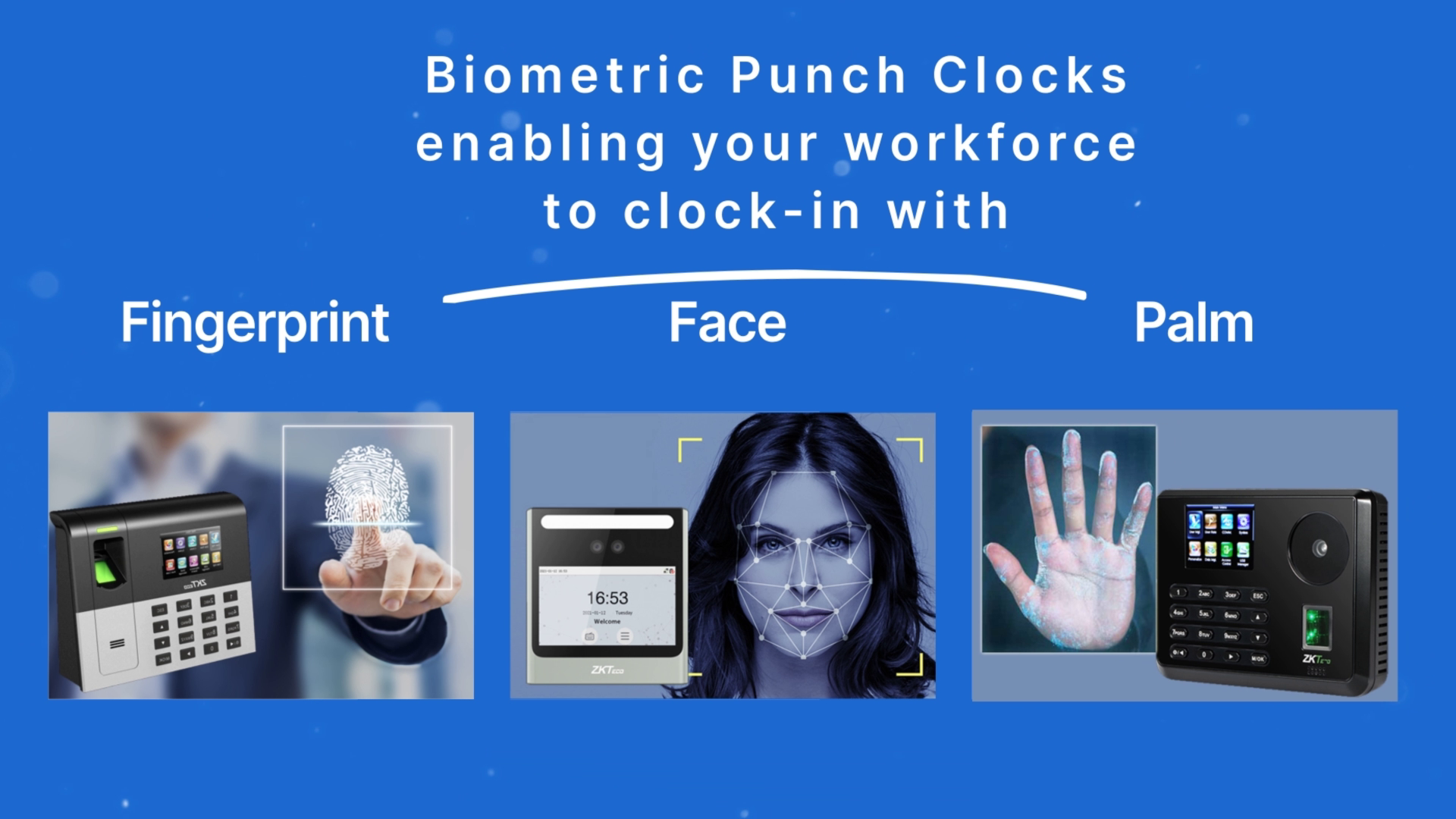
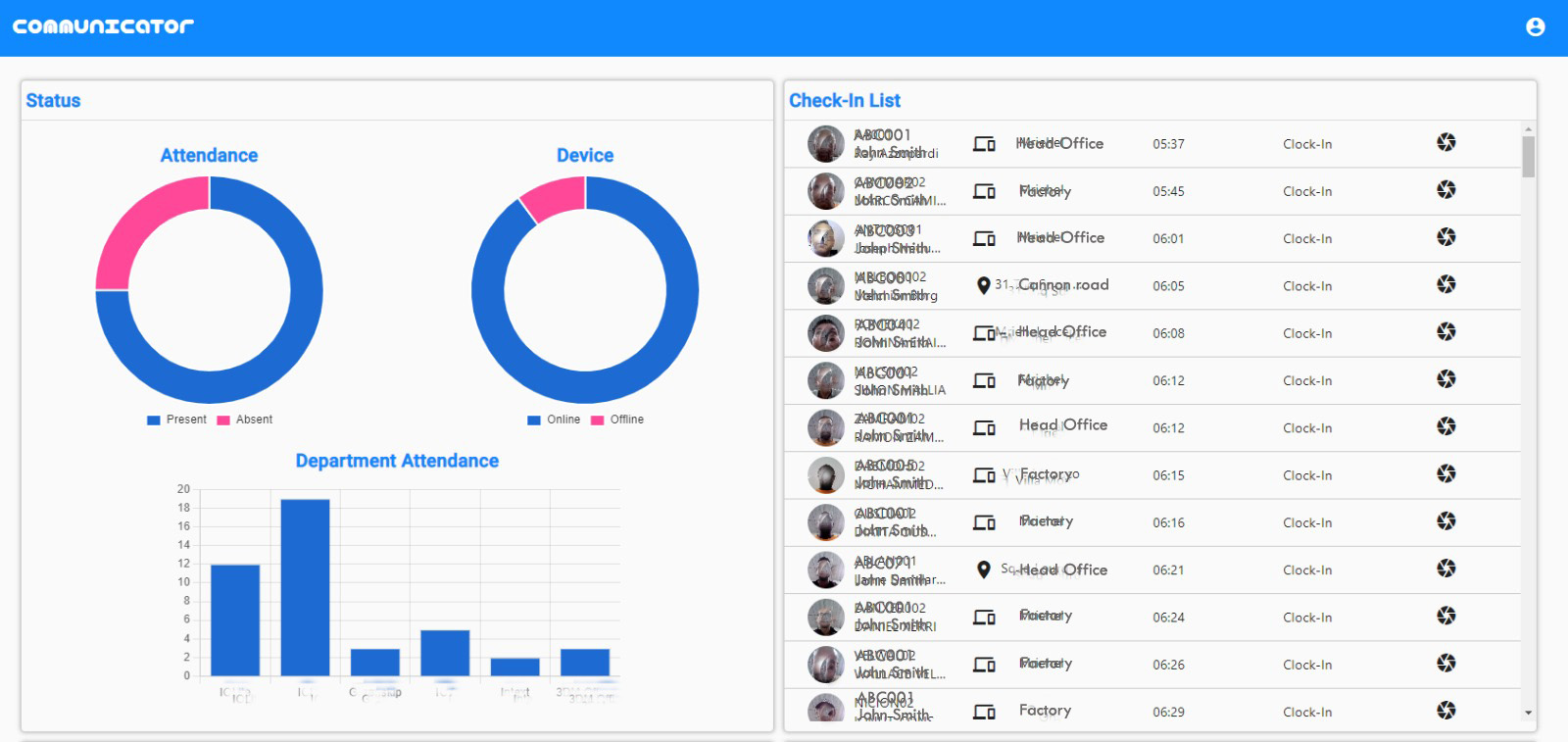
Manage your workforce with Communicator Cloud
In today's fast-paced business environment, effective time and attendance management is crucial for any organisation's success. With the advent of cloud-based solutions, companies can now effortlessly automate and optimise their workforce management processes. In this review, we explore the remarkable capabilities of Communicator Cloud, a cutting-edge time and attendance software that offers a range of features to revolutionise your organisation's time tracking and employee management.
Mobile application
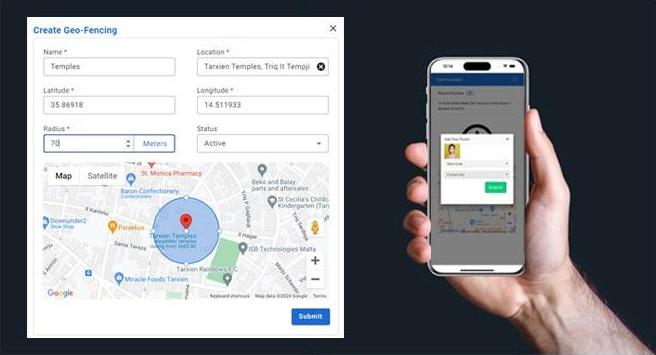
Be ahead of the curve, manage remote and hybrid workers. Enable your team to clock-in from where they work. Communicator Cloud gives you security and peace of mind with mandatory features such as Selfies, Work Code, and Punch Status. Moreover Geo-Fencing enables further control by enabling or restricting multiple_clock-in_locations.
Features at a glance
Cloud-Based
Work from anywhere, whether it’s your home, office, or a serene beach setting—all you require is an internet connection.Rest assured, your data is securely stored on Microsoft Azure Cloud Services
Shift Assignment
Easily allocate shifts to entire departments, specific groups, or individual employees, ensuring optimum workforce management
Employee Portal
Empower your workforce with access to the Employee Portal, where they can effortlessly view their assigned shifts, track recent clock-ins, and request leave with ease
Overtime Management
Experience unparalleled flexibility in overtime assignment; there are no limits to the number of overtime rates you can establish
Export and Import
Effortlessly export reports to Excel or PDF, while the import feature simplifies bulk data input management within the system
Biometric Data Synchronisation
A boon for multi-site companies, this feature provides full control over which terminals receive biometric data updates, enabling employees to clock in at one location and out at another
Role and Privilege
Tailor user access within Communicator-Cloud based on roles, allowing staff individualized access privileges on devices and the mobile app, whether they are “Normal Employees,” “Supervisors,” or “Administrators
Leave Management
Handle all aspects of leave, including Vacation, Sick, Maternity, and Bereavement Leave, with ease. Managers gain a clear overview of leave requests and can approve or decline applications, with automatic employee notifications via email or the mobile app
Automation
Simplify and expedite mundane tasks like break reduction and overtime allocation with Communicator-Cloud’s automation capabilities. The system can also perform clock-in/out rounding operations based on predefined shift parameters, accommodating complex shifts, including a mix of day and night shifts
AI
Benefit from built-in AI functionality that assists users and intelligently flags potential errors. The AI function can predict clock-in patterns and notify users if actual clock-ins deviate from predictions
Multip Clock-Ins
For employees with varied work schedules, Communicator-Cloud calculates up to 6 clock-ins per day. This feature is particularly valuable for remote workers who need flexibility in their daily routines
Mobile App
The mobile app caters to employees on the go or in locations where installing a punch clock isn’t feasible. Employees can easily clock in and out, with the option to record project names, GSM location, and even a selfie for verification. Notably, the app can function offline, allowing employees to access reports based on their privileges
3rd Party Software Integration
Communicator-Cloud seamlessly communicates with third-party software through APIs, ensuring compatibility and collaboration
Employee Profiles
Store essential employee information within detailed employee profiles. Assign shifts, customize privileges, and attach documents for convenient retrieval, covering the entire employee lifecycle from onboarding to re-engagement
